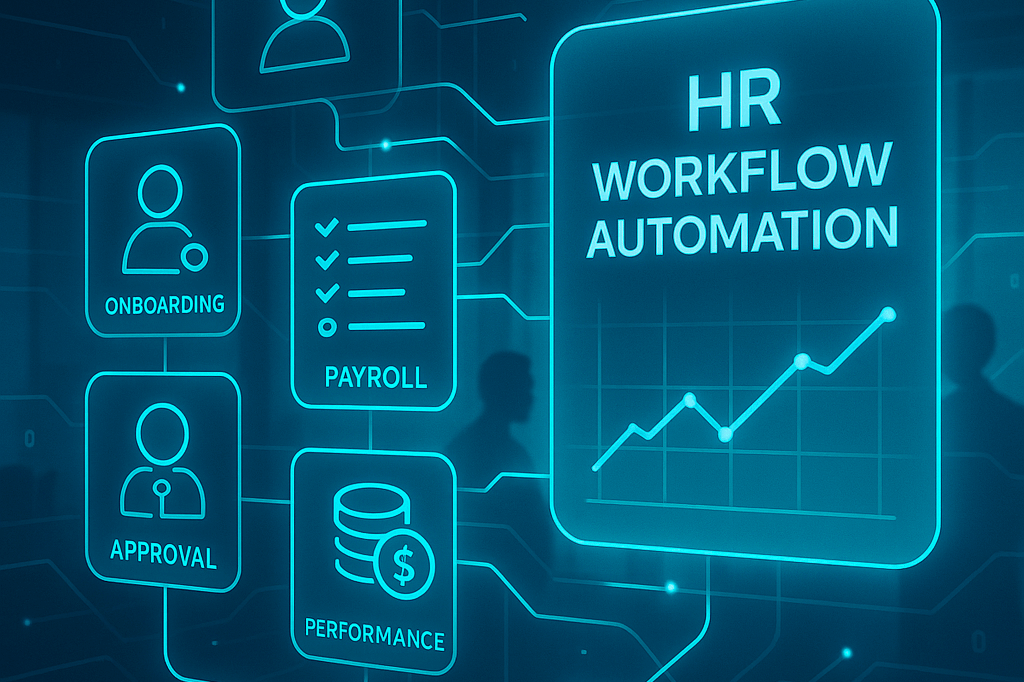
HR workflow automation means using software to move multi-step hr processes, like approvals, forms, and record-keeping, through the right people and systems with minimal manual effort.
2025 is a turning point: AI features are maturing, no-code builders let HR professionals design their own custom workflows, and compliance pressure from new labor laws is rising fast.
I’ll walk you through the most valuable use cases, the real benefits, the common challenges (and how to solve them), best practices, and the features to look for in modern HR automation tools. I’ll also show you how Thrivea approaches HR workflow automation differently, with visibility, compliance, and the employee experience at the center.
What is HR workflow automation?
HR workflow automation involves taking the everyday steps HR teams follow — like an employee submitting a leave request, a manager approving it, payroll getting notified, and the record being stored — and turning that chain of actions into a repeatable digital flow. Instead of chasing emails or spreadsheets, the system handles the tasks, approvals, tracking, and audit trails automatically.
It’s important to draw a line between HR automation and HR workflow automation:
- HR automation is the bigger umbrella. It covers any use of technology to replace manual tasks in HR, from payroll calculations to performance reviews.
- HR workflow automation goes a level deeper: it connects those tasks into structured, end-to-end processes.
For example, rather than just automating payroll, workflow automation ensures that once a leave is approved, payroll balances are updated, managers are alerted, and compliance logs are generated—all without extra clicks.
Why does this matter for human resources teams?
When repetitive tasks are automated, HR professionals free up hours they would otherwise spend on paperwork or manual processes. That means fewer errors, stronger compliance with labor laws, and better employee satisfaction. People get faster responses, managers aren’t bogged down with follow-ups, and HR can finally focus on culture and strategy instead of chasing signatures.
Why HR workflow automation matters in 2025
I’ve noticed that 2025 is putting more weight than ever on HR teams. A few years ago, you could still get by with spreadsheets and email threads. Not anymore.
Compliance is tighter. Labor laws are expanding worldwide, and regulators expect HR departments to prove every step they take. According to PwC, 73% of business leaders see regulatory complexity as one of their top risks in 2025. Without structured workflows and audit trails, staying compliant isn’t just stressful—it’s nearly impossible.
Resources are shrinking. HR staff are being asked to do more with less. Gartner reports that 58% of HR leaders say they lack the resources to handle their workload effectively. Workflow automation is how you bridge that gap—it reduces the repetitive tasks so HR professionals can focus on the work that actually adds value.
Manual processes don’t scale. Paperwork, emails, and manual data entry slow everything down. With workflow automation, processes are standardized, logged, and easy to track. If someone asks, “Who approved this leave request?” or “Did this employee complete training?”, you can pull it up instantly, audit-ready.
Employee experience is now a competitive edge. People expect seamless digital interactions in every part of their work life, including HR. McKinsey found that companies with strong employee experience see 25% higher profitability than peers. Automated workflows help employees get faster responses, smoother onboarding, and fewer delays, which directly boosts satisfaction and retention.
Key HR workflows to automate
Some HR processes are too important to leave to emails and spreadsheets. These are the core workflows every HR department should automate first:
1. Recruiting and employee onboarding
Recruiting is one of the busiest HR processes, with many small tasks that easily slip through the cracks. An automated HR workflow can handle job posting approvals, candidate screening, and interview scheduling.
Once the offer is accepted, the same workflow automation kicks off employee onboarding. The system assigns tasks to HR, IT, and managers, like creating accounts, ordering equipment, or sharing policies. Every step is logged with audit trails, so nothing is missed and compliance is easier to prove. For new hires, this structured approach makes the employee experience smoother and more engaging.
2. Employee data & document management
In many companies, important records are scattered across email, shared drives, or paper folders. HR workflow automation centralizes all employee data in one system.
Online forms capture information with built-in validation, documents go out for e-signatures, and the platform tracks version history. Automated reminders flag expiring certifications or work permits.
This saves HR staff time and ensures compliance with labor laws. When auditors ask for proof, HR professionals can instantly generate reports instead of sorting through paperwork.
3. Time & attendance tracking
Manual timesheets are prone to mistakes and wasted hours of manual data entry. With automated workflows, employees can clock in from any device, and the system applies rules for overtime, breaks, and local regulations. Managers get notifications for exceptions, and HR can see attendance patterns in analytics dashboards. The data flows directly into payroll, reducing errors and making HR operations more efficient.
4. Leave & absence management
Leave requests are a classic example of repetitive tasks that eat up HR’s day. In an automated workflow, it functions like this:
- The employee submits a request through a self-service portal
- The system checks their balance, applies labor laws where needed, and routes it to the right managers
- Once approved, calendars update and balances adjust automatically
Employees get clarity, managers save time, and the HR department has a full audit trail of every request.
5. Payroll, expenses, and compensation
Payroll is one of the hardest hr processes to manage with manual tasks. Errors are costly, and approvals pile up.
HR process automation ties new hire records, time tracking, and expense submissions to flow directly into payroll. Expense claims follow a workflow from submission to manager approval to finance. Compensation reviews can also run as structured processes, where budgets, manager proposals, and approvals are tracked in the same system.
This level of workflow automation reduces mistakes, improves compliance, and saves time for HR and finance teams.
Performance reviews often stall because too many tasks rely on reminders and emails. Automated workflows open a cycle, send review forms, assign peer reviewers, and escalate if deadlines are missed.
Managers get a clear view of which reviews are done and which are pending. HR gains consistent records linked to each employee, which can then be used for promotions, training plans, or compensation decisions.
This structure helps both HR and managers spend less time on paperwork and more on meaningful conversations.
7. Policy updates and compliance attestations
Policy changes, like new codes of conduct or safety updates, must be acknowledged by every employee.
Instead of emailing PDFs, HR can run an automated workflow that distributes the new policy, tracks who has read it, and sends reminders to anyone who hasn’t. Once everyone has signed, the system stores versioned documents and audit trails.
This makes compliance much easier to prove and ensures no one is left out of important updates.
8. Training & development scheduling
Training is another area where manual processes fail. An automated workflow can enroll employees based on role, send calendar invites, track attendance, and log completion in the employee’s record. HR can also set up reminders for required certifications, with expiry alerts built in.
With analytics, HR professionals see which teams are behind and where extra support is needed. This keeps the workforce compliant, skilled, and ready to grow.
9. Internal communication workflows (announcements, read confirmations)
HR announcements, like new benefits, deadlines, or policy reminders, often get buried in inboxes. Workflow automation ensures these messages reach the right groups at the right time.
The system records who opened and confirmed the announcement, and automatically nudges those who haven’t. HR can review analytics on message reach and completion, proving the communication worked. For employees, it means important updates are clear and timely, which improves the overall employee experience.
10. Exit processes (offboarding)
Offboarding is full of sensitive tasks: revoking system access, collecting equipment, finishing payroll, and conducting exit interviews. In an automated HR workflow, each step is triggered as soon as HR records a termination. IT, finance, and managers each get their assigned actions, and the system logs progress. Completed forms and acknowledgments are stored for compliance. Structured offboarding protects company data, avoids missed steps, and leaves a professional final impression on departing employees.
Benefits of HR workflow automation
The main benefits of HR workflow automation for HR teams and employees include:
Upgraded efficiency and productivity
When HR runs on spreadsheets and email, too much time is lost to manual data entry and chasing signatures. With HR workflow automation, these routine tasks run in the background. Onboarding can shrink from days to hours, and payroll runs with fewer delays.
Organizations that use HR automation or AI report time savings and efficiency gains; 85% say it saves time or boosts efficiency. That means HR professionals and managers can focus on coaching and culture instead of chasing forms.
Better compliance and audit trails
Tighter labor laws and privacy rules demand accurate, traceable HR processes. Automated systems generate audit trails for every approval, update, or policy acknowledgement. If regulators ask for proof, HR can show who signed what and when. This reduces risk and avoids costly mistakes.
For example, the U.S. Department of Labor recovered $202 million in unpaid wages in 2024 alone. Structured, digital HR operations help avoid being part of those statistics.
Improved employee experience and satisfaction
People expect seamless digital interactions in every part of their work life, including HR. Yet engagement is falling. Only 32% of U.S. employees felt fully engaged in 2024, while global engagement slipped to 21%, costing an estimated $438 billion in lost productivity.
Strong onboarding shows how much difference the right process makes: new hires with “exceptional” onboarding are 2.6× more likely to be extremely satisfied in their role, and better onboarding alone can improve retention by 82%.
Automated workflows help deliver that kind of experience every day. They speed up requests, keep employees informed, and give them self-service control. By removing friction, HR builds trust and loyalty, turning automation into a real driver of employee satisfaction.
Error reduction and data accuracy
Manual tasks leave room for mistakes: missed deadlines, typos in employee data, or lost forms. Workflow automation solves this with digital forms, built-in validations, and system-to-system syncs.
Data updates (like a manager change or salary adjustment) apply everywhere at once. This prevents payroll errors and ensures HR always works with accurate information.
Scalability and consistency
As companies grow, inconsistent processes cause confusion. Automated workflows enforce the same steps across departments and locations. Whether you’re hiring 10 people or 1,000, the system keeps the process reliable and repeatable. The consistency protects compliance and gives employees the same quality of service wherever they sit.
Cost savings and measurable ROI
Every wasted hour in HR is a cost to the business. Manual processes create risks and hidden expenses, while automation closes the gaps and proves its value:
- Offboarding: missed steps can mean lost equipment, data exposure, or compliance failures. Automated checklists ensure every task is closed and logged.
- Payroll: manual data entry drags down efficiency and invites errors. Automation speeds up processing and reduces corrections.
- Analytics: dashboards track time saved and tasks completed, turning efficiency gains into clear ROI metrics.
By moving these critical workflows into automation, HR saves time, reduces risk, and shows leadership measurable returns.
Common challenges and how to solve them
Even with clear benefits, rolling out HR workflow automation isn’t always easy. HR teams often run into the same hurdles, from budget questions to system integration, and each challenge needs a practical fix.
Initial investment and ROI concerns
Buying HR automation tools can look expensive up front, especially when budgets are tight. Leaders often ask: Will this system really save enough to justify the cost?
The challenge is that HR savings aren’t always visible; time saved on manual tasks rarely shows up in a budget line.
Solution: Start with one high-volume HR workflow like payroll, PTO, or onboarding. Measure how long it takes today and how many errors happen. After automation, compare the results. If payroll time drops by 30% or onboarding finishes three days faster, that’s proof of ROI. Share these numbers with leadership to build the case for broader rollout.
Employee resistance to change
When new systems arrive, HR staff and managers sometimes worry they’ll lose control or even their jobs. Others may feel overwhelmed by learning another platform. This fear slows adoption and creates friction.
Solution: Communicate early and often. Make it clear that workflow automation targets repetitive tasks like chasing signatures or updating spreadsheets, not the strategic work HR is valued for. Offer hands-on training and quick guides. Highlight small wins, like how PTO requests now take one click instead of three emails. Involve employees in designing custom workflows so they see themselves shaping the system.
Data security and compliance
Employee data is highly sensitive. Mistakes here can mean fines under GDPR or national labor laws, not to mention reputational damage. Security and compliance are top concerns when moving from manual processes to digital.
Solution: Choose HR software with strong built-in security: encryption, role-based permissions, and detailed audit trails. Before rollout, map where data lives, who touches it, and which tasks need approvals. Set access levels accordingly (for example, recruiters don’t see payroll). Schedule regular audits to catch problems early and prove compliance during inspections.
Integration with existing systems
Most HR teams already juggle multiple platforms, for example, ATS for recruiting, payroll software, and learning systems. If the new automation tools don’t connect, HR ends up with more manual data entry instead of less.
Solution: Look for tools with open APIs and pre-built integrations. Start by linking one system, like payroll, and test the flow end-to-end. Document every step so HR and IT know exactly how data should move. Over time, expand integrations to recruiting, training, and communication platforms. This ensures HR processes run seamlessly instead of creating new silos.
Skills gap in HR teams
Some HR teams feel unprepared for automation. They’re used to spreadsheets and email, not digital builders. The worry is that they’ll need technical skills they don’t have.
Solution: Modern platforms are no-code. That means building forms, adding approval steps, or scheduling reminders is done with drag-and-drop. Train a few “super users” who can support others, and use vendor-provided tutorials. Frame automation as a way to make jobs easier: less chasing, fewer errors, more focus on people. Over time, HR builds confidence and takes ownership of their own custom workflows.
Best practices for implementing HR workflow automation
To get real value from HR workflow automation, it’s not enough to buy a tool. You need a plan. These best practices help HR teams roll out workflows that stick and actually improve day-to-day processes.
Map processes before automating
If you don’t know how work currently flows, you can’t design a better one.
Start by documenting your HR processes in detail:
- What triggers them
- Who does each task
- How approvals move
- Where delays usually happen
For example, look at how long it takes for a PTO request to go from an employee to a manager and into payroll. Mapping makes the invisible visible, and it highlights every weak spot where manual tasks waste time or create risk. That map then becomes the foundation for building better workflows.
Define measurable goals
Automation fails when it’s “done for the sake of tech.” You need clear goals that show why you’re automating in the first place. Maybe you want to reduce payroll errors by 30%, cut onboarding time in half, or prove 100% policy acknowledgment for compliance.
Measurable goals make it easier to prove ROI and keep leadership on board. They also guide how you design automated workflows, whether you focus on speed, accuracy, or employee experience.
Start small with high-impact tasks
Trying to automate every HR workflow at once is a recipe for chaos. Instead, pick one or two routine tasks that drain the most energy, like employee onboarding or time-off requests. These are easy to standardize and have obvious pain points.
Once people see that these processes run smoother, faster, and with fewer mistakes, it’s much easier to roll out the next wave of automation. Quick wins build trust across the HR department.
Train HR staff and managers properly
Even the smartest HR automation tools won’t work if no one uses them correctly. HR staff and managers need training that’s practical, not theoretical. Show them how to approve requests, update employee data, or review forms inside the system. Make it clear that automation removes the boring, repetitive tasks; it’s not here to replace them.
When people see that they can skip email chains and endless spreadsheets, adoption goes up naturally.
Monitor, track, and iterate
Once your workflow automation is live, watch how it performs. Use the tool’s analytics to measure approval times, missed deadlines, and bottlenecks.
If managers still take too long to review performance evaluations, maybe you need to add reminders or escalation rules. Collect feedback from employees about whether the new system actually feels easier. Then refine.
The best HR automation projects evolve with real-world use, not just the launch plan.
Build with compliance in mind
Regulators don’t care about excuses; they care about records. That’s why every HR process automation project should bake in audit trails, secure access, and version control. When a labor inspector or auditor asks for proof of a signed policy or accurate overtime tracking, you should be able to pull it up instantly.
Building with compliance from day one means you’re always inspection-ready, instead of scrambling through emails and paperwork when something goes wrong.
The right HR automation tools should do more than speed up tasks. They need to support reliable, flexible workflows that grow with the business. The main features that will help you with that include:
No-code / low-code workflow builder
I don’t want to call IT every time I need to adjust an HR workflow, and neither do you. A good tool should let you drag and drop steps, forms, and approvals. That way, you can build or tweak processes, like adding a new approval step for senior hires, without writing a single line of code. Flexibility means the system keeps up with changing business needs.
Custom workflows
Every team works differently. Sales might need extra training steps, while finance needs more sign-offs for expenses. The tool should let you adapt workflows by role, location, or department so that each employee gets the right path.
For example, onboarding in one country might include tax forms that don’t exist elsewhere. Customization makes the system useful instead of forcing a “one-size-fits-all” approach.
Triggers, notifications, and role-based routing
The system should move tasks forward without you chasing people.
A new hire record could trigger an IT setup, or a time-off request could notify the right manager automatically. Role-based routing ensures the request always goes to the right person in the HR department or leadership chain.
Notifications keep everyone accountable, so no approval gets lost in someone’s inbox.
Integrations
HR connects to payroll, recruiting, and communications. The best HR automation tools integrate with:
- Slack or Teams (for quick approvals)
- ATS platforms (for recruiting data)
- Payroll systems (for accurate pay)
- BI tools (for reporting)
Integrations cut out manual data entry and make sure information flows across all systems without errors.
Automated workflows with audit trails and version control
For compliance, you need proof. The tool should log every action with time stamps: who approved leave, when a policy was signed, or which version of a contract was used.
Version control matters for documents. If a policy is updated, you want employees to acknowledge the new one, and the system should keep a record of both versions. These audit trails make inspections or disputes much easier to handle.
Real-time analytics and dashboards
You need visibility into what’s working. Dashboards should show you cycle times, overdue tasks, completion rates, and bottlenecks.
For example, if performance reviews always stall at the peer review step, you should see that in the data. Real-time analytics helps fix problems quickly and prove the ROI of automation.
AI-assisted workflow creation and optimization
Modern platforms use AI to make setup faster. I could describe a process, “onboarding for new engineers,” and the system suggests the steps, forms, and approvals I’ll need.
Over time, AI can also optimize: spotting where delays happen or predicting when a process might miss deadlines. This turns workflow automation into a smarter system that learns from real use.
Security, compliance, and scalability
HR handles sensitive employee data, so strong security is non-negotiable. Look for:
- Role-based permissions
- Encryption
- Compliance certifications (like SOC 2 or GDPR readiness)
The system also has to scale: whether I have 50 or 5,000 employees, it should manage HR processes without breaking. Compliance and scalability together ensure the tool grows with the business while staying inspection-ready.
Thrivea: How we approach HR workflow automation differently
Most tools automate a few HR tasks. Thrivea connects the whole flow — tasks, approvals, docs, comms, analytics — so HR has full visibility, built-in compliance, and a smoother employee experience from day one. You get a no-code builder, audit-ready logs, and role-based permissions on a free-forever Core HR foundation, then layer on PTO and Performance when you’re ready.
Real workflows in action
- Onboarding checklist (14-day, no-code): Create a new hire, and Thrivea auto-launches a sequenced flow with tasks, due dates, and dependencies across HR, IT, and managers. New hires receive contracts and policies to sign; welcome announcements are published to the right audience.
- Policy update attestations: Upload a new policy; target the right people; send scheduled reminders until they confirm; store versioned documents with read receipts and a complete audit trail.
- PTO requests, end-to-end: Employees request leave via self-service; rules route to the right approver; managers approve in one click from Slack or Teams; balances update, and Google/Microsoft calendars reflect OOO automatically.
- Quarterly performance cycles: Pick a template; invitations and smart reminders go out; escalations kick in as deadlines near; live dashboards show in-progress vs. completed; reviews and goals roll into the employee record for downstream comp and planning.
- Documents on rails: Shared/personal folders, version history, activity logs, and role-based access keep files structured and audit-ready, no chasing attachments.
- Internal communication: Targeted announcements with read confirmations, post-scheduling, reactions/comments, and reach analytics ensure critical updates are seen and acted on.
Built for compliance and control
Every action is logged: who requested, reviewed, approved, signed, or read, so you’re always inspection-ready. Role-based permissions limit visibility to “need-to-know,” while version control, expiry reminders, and Smart Views make audits simple and consistent. Thrivea’s platform design aligns with GDPR, SOC 2, and HIPAA standards by default.
Connected to where people work
Thrivea fits your stack: Slack and Microsoft Teams for alerts/approvals and nudges; Zapier for no-code extensions; an Open API + webhooks for custom flows; and connectors across ATS, Payroll/Benefits, calendars, and HRIS data.
Result: fewer manual updates, fewer errors, faster cycle times.
More than automation
Competitors stop at “less manual work.” Thrivea goes further with clear dashboards, custom reports, and a Home overview that surfaces tasks, due dates, and workforce signals, so HR can coach, not chase. Employees get quicker answers; managers get real-time context; the business gets provable compliance, time back, and happier teams.
The best part? You can start for free with Core HR (no credit card, setup in minutes). Add PTO and Performance when you’re ready to scale.
The future of HR workflow automation
The future of HR workflow automation is being shaped by three big shifts:
- AI copilots
- Hyperautomation
- Continuous improvement.
AI copilots and predictive analytics
Modern HR automation tools are already starting to include AI assistants that can draft workflows, spot bottlenecks, and even predict risks.
Instead of manually setting every step, I’ll soon be able to describe a process in plain English — “when a new employee joins, create a 30-60-90 plan and notify the manager” — and the system will build it for me.
Predictive analytics will also help HR catch issues early, like flagging which teams risk burnout based on overtime data. According to Gartner, 76% of HR leaders believe they’ll fall behind within 1–2 years if they don’t use AI in their HR processes.
Hyperautomation across HR operations
The next stage is hyperautomation —linking workflow platforms with AI, RPA (robotic process automation), chatbots, and analytics so that entire processes run end-to-end.
For HR, that might mean parsing resumes with AI, auto-scheduling interviews, verifying documents with e-signatures, and syncing everything into payroll without human handoffs.
Analysts predict that 70–75% of new business applications will be built on low-code or no-code platforms by 2025–26, which means even HR professionals without IT support will be able to design custom workflows quickly.
Continuous workflow optimization
The future won’t be a “set and forget” system. HR automation will become a cycle of constant refinement. Tools with real-time analytics will show where workflows slow down or where manual tasks are creeping back in. HR teams will then adjust the process, just like software teams update apps.
Over time, this builds a culture where workflow automation is seen as a living system that keeps getting better, improving efficiency, compliance, and employee satisfaction year after year.
From paperwork to people work: Thrivea’s approach
In 2025, HR workflow automation is a must. Compliance demands are rising, old processes can’t keep up, and employees expect fast, seamless service.
Automation adds structure, visibility, and accountability to every part of human resources management. When repetitive tasks move into automated workflows, HR teams shift from chasing forms to focusing on strategy, culture, and people. That’s the difference between an administrative function and a true business partner.
At Thrivea, that’s exactly what we deliver. Our platform moves leave requests, onboarding checklists, policy updates, and performance cycles into automated, auditable flows. HR leaders get clarity, managers get faster responses, and employees get a better experience.
If you’re ready to see how structured HR process automation works in practice, schedule a demo and explore Thrivea in action.





 12 min